Understanding Your Invoices
Where invoices live, what each status means, and how to read an invoice's detail page.
Last updated 10/15/26
Everything you're billed for shows up as an invoice in your portal — nothing is charged invisibly. This article covers where invoices live and how to read them.
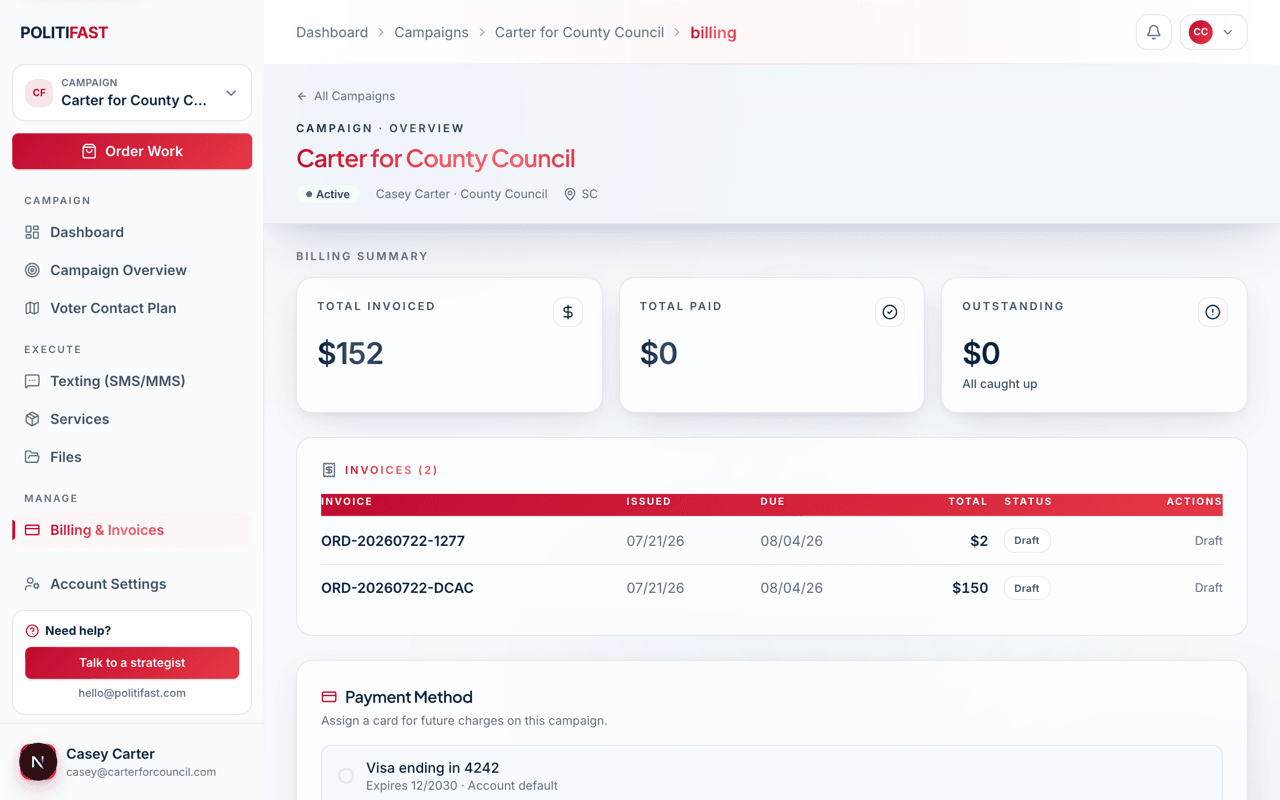
Where invoices live
- Your account-wide list at /portal/invoices shows every invoice across all your campaigns — useful for consultants and managers running several races.
- The campaign Billing tab shows that campaign's invoices plus three totals at the top: total invoiced, total paid, and outstanding.
The invoice detail page
Open any invoice to see its line items, issue and due dates, amount paid, amount due, and payment history — and to download a PDF for your records or your treasurer. Paid invoices keep a receipt link.
What each status means
- Draft — the team is still preparing it; not payable yet, and nothing is needed from you.
- Pending / Awaiting payment — finalized and ready for you to pay.
- Processing — your payment is in flight (bank payments can take a few days).
- Overdue — past its due date and still unpaid a couple of days after we sent it; pay or contact us if something's wrong. We email a reminder every two days until it's paid.
- Paid — settled; the receipt is available.
- Refunded / Cancelled — no longer owed.
Why some work waits on payment
Irreversible work — a text send, a mail drop — starts only after its invoice is paid. If a send has a schedule attached, pay early so payment is never what's holding your date. See Paying an Invoice Online in this category for the payment flow itself.
An invoice doesn't look right?
If an amount or line item doesn't match what you ordered, email us before paying — we'd rather correct it than have you guess.