Navigating Your Portal
A map of the portal — the global dashboard and invoices, the per-campaign navigation, and the Order Work button.
Last updated 08/05/26
Your portal has two levels: a global level that spans everything you manage, and a per-campaign level where the day-to-day work happens. Once you know the layout, nothing is more than two clicks away.
The global level
Before you open a specific campaign, you have two pages:
- Dashboard — an overview of every campaign on your account. Multi-campaign accounts (consultants, campaign managers, caucuses) switch between campaigns from here.
- Invoices — every invoice across all your campaigns in one list at /portal/invoices. Useful when you manage several races and want one place to see what is due.
Inside a campaign
Open a campaign and the sidebar shows its full navigation:
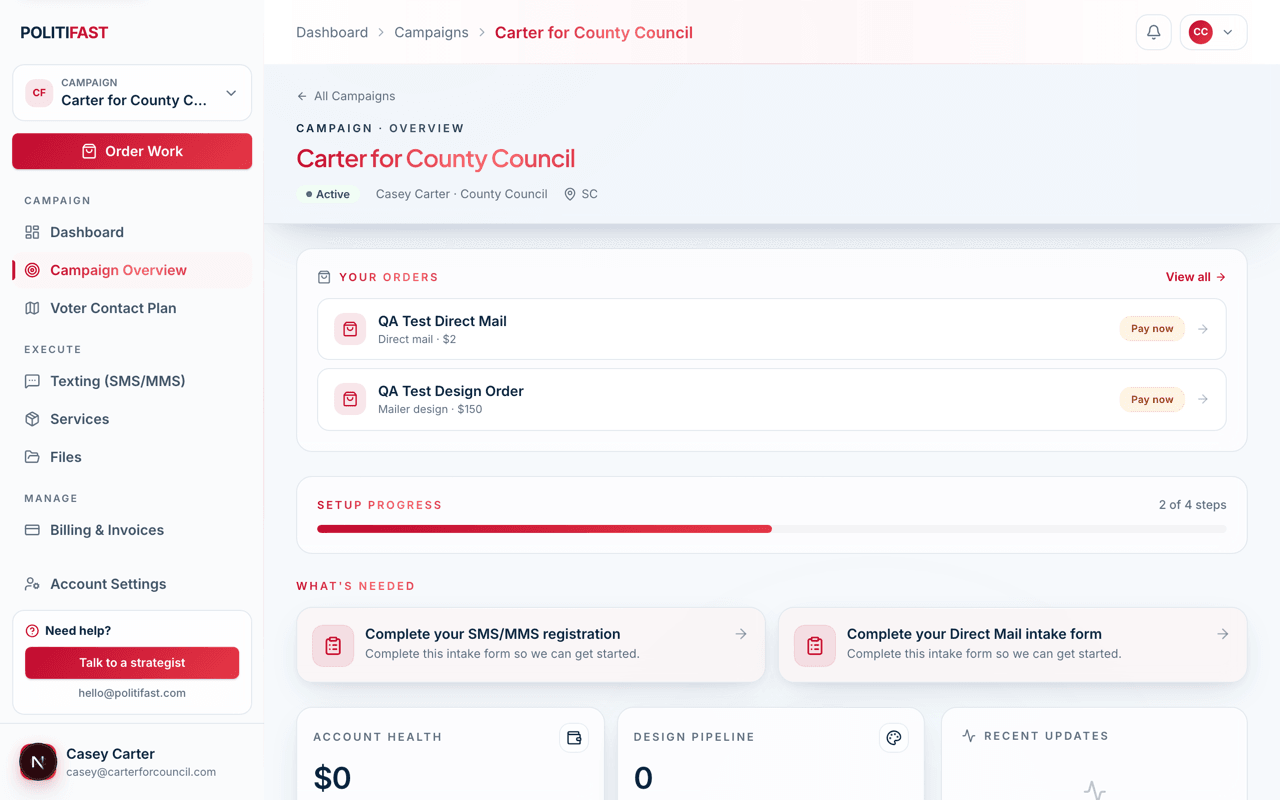
- Dashboard — this campaign's status at a glance.
- Campaign Overview — your setup checklist: upload a biography, campaign photos, your platform and issues, and a logo; set up your domain; add social links; and complete each service's intake form. Working through it early keeps every service moving.
- Voter Contact Plan — the strategy document your PolitiFast team builds for your race. It is read-only; changes go through your strategist.
- Texting — compose messages, send test texts, upload contact lists, and submit sends for the team to review and release.
- Services — the status of each service on your campaign.
- Files — documents and assets shared between you and the team.
- Billing & Invoices — this campaign's invoices, payments, and receipts.
- Team — invite teammates by email and manage their roles (Owner, Admin, Editor, Viewer).
- Agreements — your signed Master Service Agreement and service addenda.
- Campaign Settings — the campaign's core details.
The Order Work button
From your campaign you will also see an Order Work button — the fastest way to start a new job without waiting on a conversation:
- Send a text — billed per message.
- Send a mailer — billed per piece.
- Request mailer design — a $150 flat design fee.
Orders move through clear statuses — from draft and quoted through paid, in production, and fulfilled — so you always know where a job stands.
If you get lost
The help center is available from both the marketing site and your portal, and How to Reach the PolitiFast Team in this category covers every way to get a human involved.
Ready to reach voters?
Texting is the fastest service to get moving. Open your campaign's Texting section to start carrier registration and get your first message out.