Completing Your Campaign Overview Checklist
Each checklist item on your Campaign Overview unblocks a piece of work for your PolitiFast team — here is what every item means and why it matters.
Last updated 08/05/26
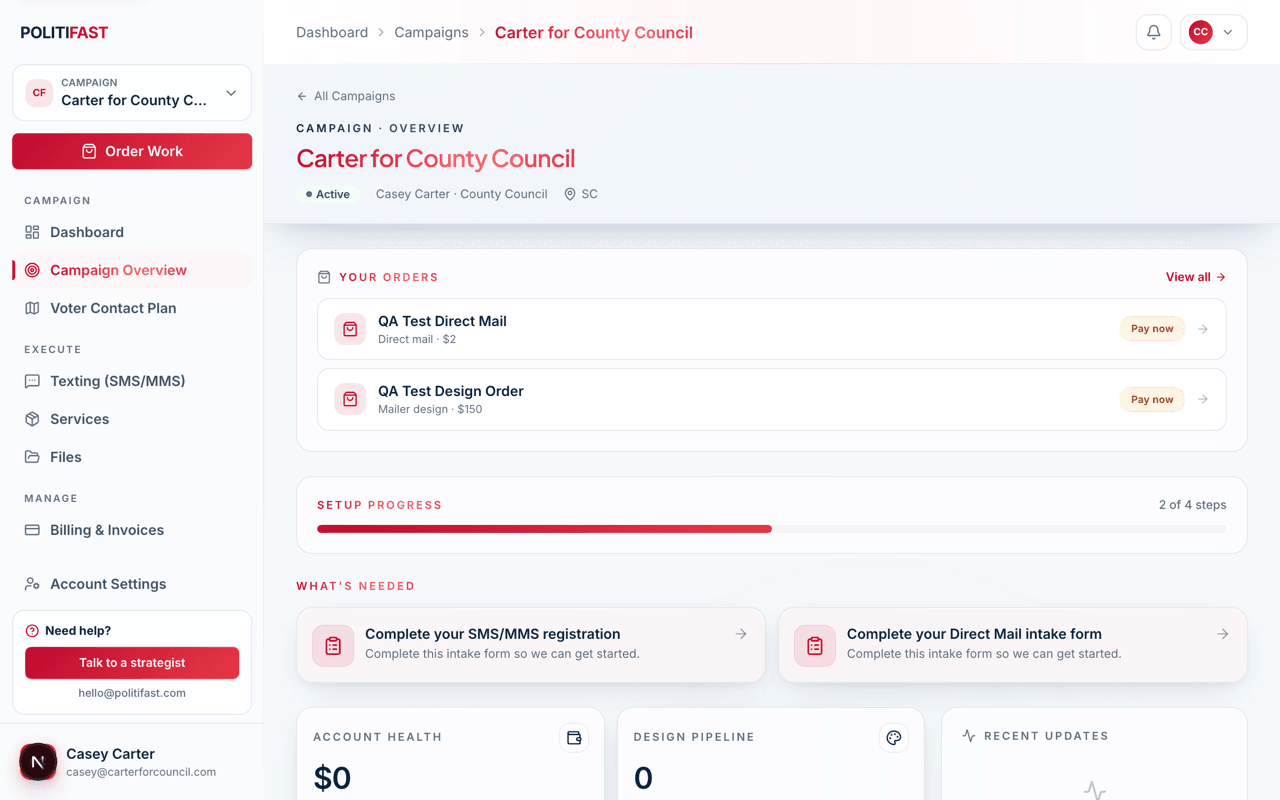
Your Campaign Overview page shows a setup checklist. It isn't busywork — every item feeds directly into work our team does for you, and unfinished items are usually what's holding a service back from launching.
What each item unblocks
- Upload or enter your biography. Your bio becomes the About page of your website, the foundation of your brand voice, and source material for ad and mailer copy.
- Upload campaign photos. Headshots and action shots appear on your website, in your ads, and on your mailers. High-resolution originals, please — not screenshots or social media crops.
- Add your issues and platform positions. These become your website's Issues section and shape messaging across every channel.
- Upload your logo — or order logo design. Everything visual waits on a logo. If you don't have one, the Brand Package includes a professional logo along with a full website.
- Set up your domain and share access with admin@politifast.com. We can't launch your website on your domain without access to it. Share your registrar login or delegate access to that address.
- Connect your email marketing provider and donation processor. These links let us wire your Donate button and signup forms to the tools you already use.
- Add your social media links. They appear on your website and help us keep your channels consistent.
- Add endorsements. Optional, but endorsements are among the most persuasive content a campaign website can carry.
- Complete each service's intake form. Every service you selected (texting, website, Brand Package, ads, consulting) has its own Get Started intake. The team can't begin until the intake is in.
Where the uploads go
Everything uploads through your campaign's Files section — see Uploading Files: Bio, Photos, Logo, and More in this category for the details.
A practical order
If you're staring at the whole list, do these first: biography, headshot, logo (or order one), domain access. Those four unblock the most work. Then work through the service intakes for whatever you selected during onboarding.
Stuck on a checklist item?
If there is an item you can't complete — no logo yet, no domain access, missing photos — tell us. We will work around it or help you produce it.