Reviewing Designs: Your Design Inbox
The Design Inbox collects everything waiting on your review — how approvals, revision requests, and revision limits work.
Last updated 08/05/26
When our designers produce something for you — a mailer, ad creative, or other artwork — it lands in your Design Inbox for review. Nothing ships without your approval, so checking the inbox promptly is the single best way to keep your projects on schedule.
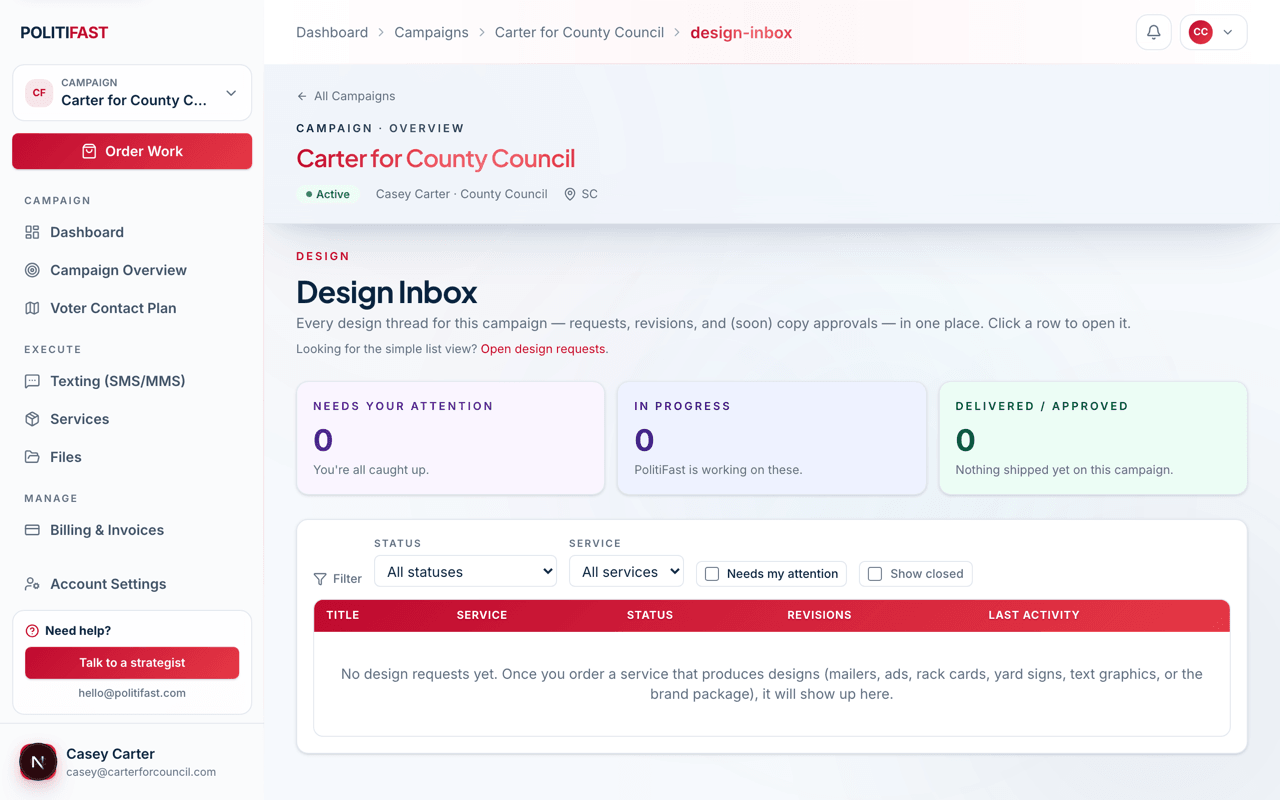
The three trays
- Needs your attention — items waiting on your review or your revision feedback. This is the tray that blocks work.
- In progress — PolitiFast is working on these; nothing needed from you.
- Delivered / approved — finished work, kept for reference.
Reviewing a design
Open a design to see the proof, its dimensions, when it was submitted and last updated, and how many revisions remain. From there you have two actions:
- Approve — the design is final and moves to production or delivery.
- Request revision — describe what to change and send it back to the designer.
Making revision rounds count
Revision rounds are limited — typically two per design — so consolidate your feedback. Walk the whole proof, collect everyone's notes (candidate, spouse, manager), and send one complete list rather than three partial ones. "Change the headline to X, swap the photo for the one in Files called Y, fix the phone number" gets a perfect second proof; "make it pop" doesn't.
After approving a mailer design
A Mail This Design button appears on approved mailer designs. Click it to start a mail send — pick your recipient list and quantity, confirm the per-piece rate on the invoice, and we take it to print. See Sending a Mailer under Advertising & Direct Mail.
Approved a mailer design?
You're one click from mailboxes — hit Mail This Design and we'll handle print and postage.