Uploading Files: Bio, Photos, Logo, and More
The Files hub is where your bio, photos, logo, and documents live — and where your PolitiFast team pulls from when building your website, ads, and mail.
Last updated 08/05/26
Your campaign's Files section is the shared drive between you and your PolitiFast team. When we build your website, design your mailer, or produce your ads, this is where we pull your materials from — so the better stocked it is, the faster work moves.
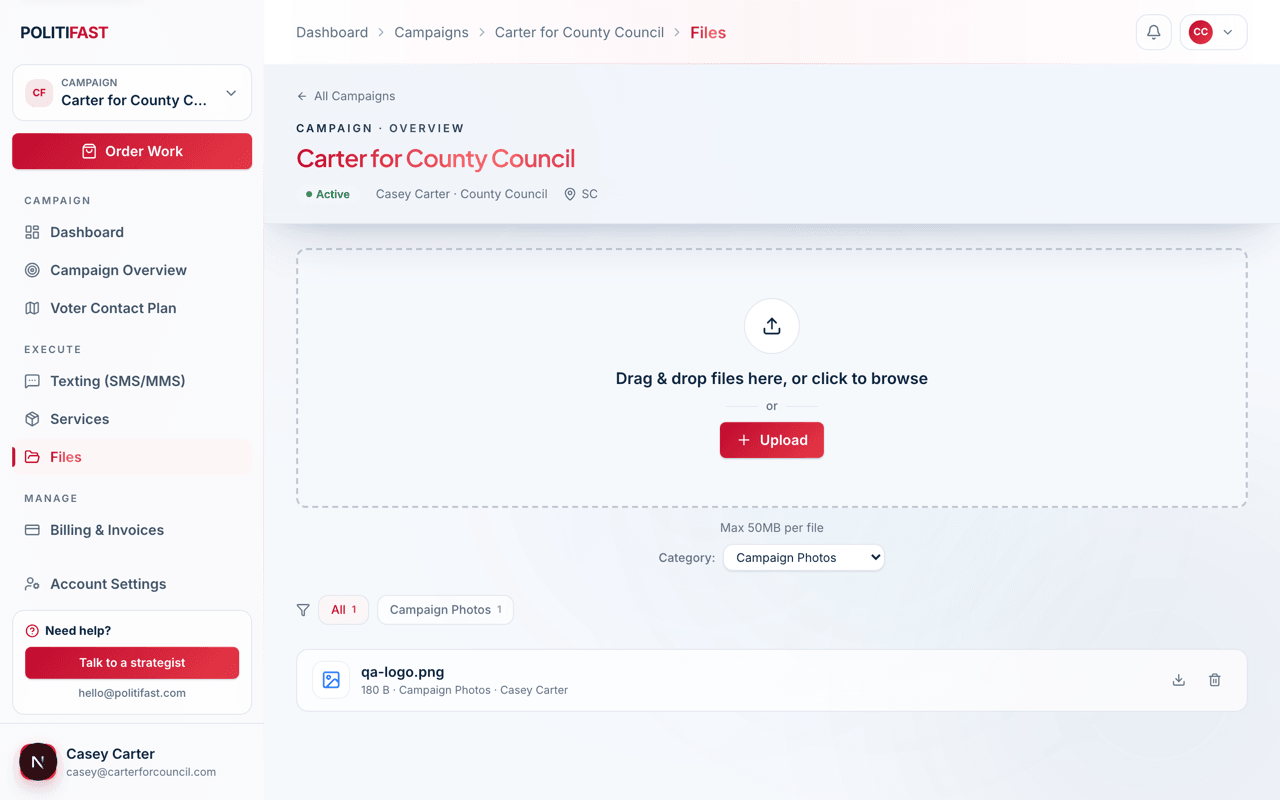
The file categories
- Biography — your bio text or documents.
- Campaign Photos — headshots, action shots, family and community photos.
- Issues & Platform — position papers, platform documents, talking points.
- Logo & Branding — logo files, brand colors, existing design assets.
- Endorsements — endorsement letters, quotes, and endorser photos.
- Documents & Content — anything else the team should have.
- Agreements — your signed agreements (kept for your records).
Which services use which files
- Your website build draws on your bio, photos, platform, logo, and endorsements.
- Mailer designs use your photos, logo, and disclaimer text.
- Digital ads use your logo and photos for creative.
- The Brand Package team reviews everything you have before designing.
Photo quality guidance
Send the largest, sharpest originals you have. A good test: if the file came straight from a camera or a photographer, it's right; if it was saved from a social media page or a text thread, it's probably too compressed to print or display well. When in doubt, upload it anyway — we'll tell you if we need better.
Uploading, downloading, and removing
Drag files onto the category or use the upload button. You can download or delete anything you've uploaded. If you replace a file the team is already working from, drop us a note so the newer version gets used.
No logo yet?
That's exactly what the Brand Package is for — a professional logo, brand book, templates, a yard-sign design, and a full campaign website in one engagement.